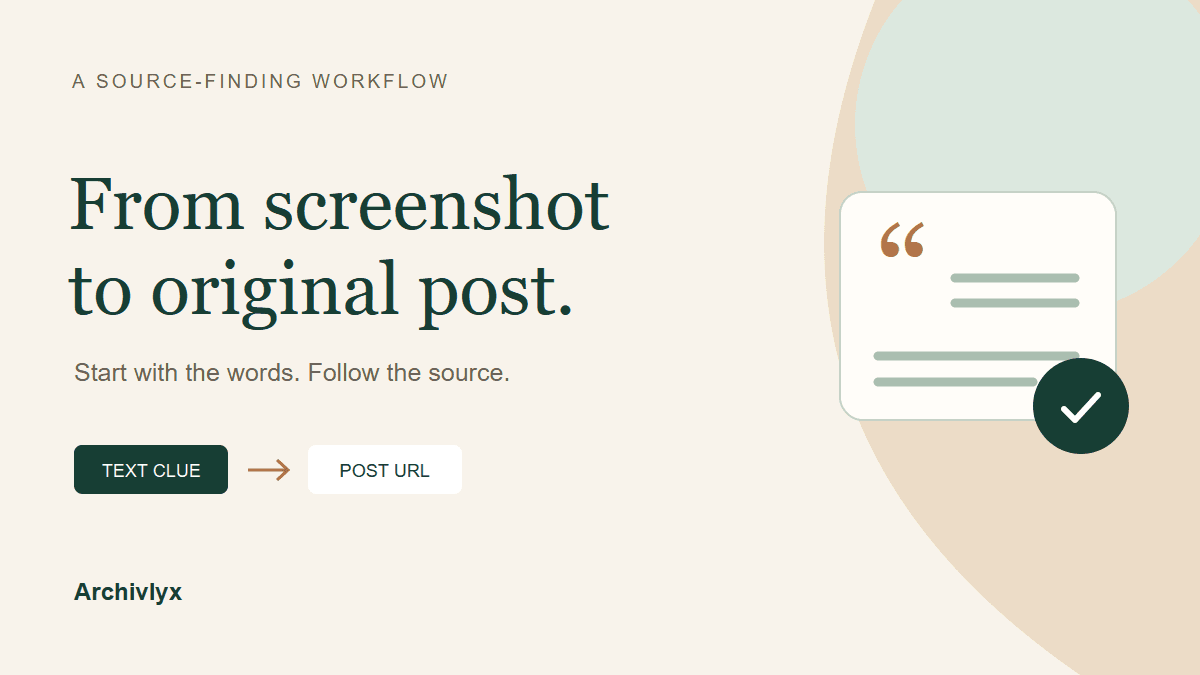
To find the original tweet from a screenshot, search for a distinctive sentence in quotation marks, add the visible handle, and follow the result to a specific post URL. Then compare the account, wording, date, and linked material. A match gives you a source to inspect; it doesn't automatically establish that every detail in the screenshot is unchanged.
Start with words you can read. Uploading the image somewhere isn't necessary when the screenshot already contains a useful sentence. Below is a worked example that recovered a Hubble post, followed by a short record you can keep with a citation.
Pull out the clues before searching
Make a note of the handle beginning with @, a short distinctive phrase, the displayed date, and any visible link. Keep the original screenshot alongside those notes. A cropped image may omit the reply it answered or a label that changes how you read it.
Use the handle rather than relying on the larger display name. The name at the top is useful context, but several accounts can use similar names. If a search result shows a different handle, inspect the difference before treating the two as the same source.
For our example, the input was a publicly reproduced screenshot of a Hubble post about a pair of galaxies. Its visible handle was @NASAHubble. We kept the original image and used the opening sentence as the search clue. The crop below shows only the part needed to begin the search.
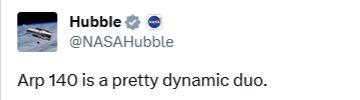
A crop of the actual input screenshot. The full source image also contains the galaxy image and a displayed date; those details were retained in the research record.
Type the phrase as it appears, rather than rewriting it into a summary. A generic query about Hubble galaxies could return many unrelated posts. A distinctive sentence is more likely to lead you to this particular one.
Follow the result to the post, not just another screenshot
Our first source check used the complete opening sentence. A shorter query also returned the same specific post when we checked it:
"pretty dynamic duo" NASAHubble
The shorter search returned the X post alongside copies on other social sites. In the earlier full-sentence search, a reporting page contained an embedded post whose date linked to that same status URL. In both paths, the useful result was the specific post link, rather than another copy of the picture.
We followed that reference to the specific Hubble post. Its post ID is 1750187807774003249. Keeping the full URL distinguishes this item from the account's profile, a search page, or another post about the same galaxies.
In this check, the direct X post page did not return a readable page to the research fetch. X's public embed response did return the same post URL, the author Hubble, the NASAHubble handle, matching wording, and a January 24, 2024 date. That was an additional source correspondence, rather than a claim that the direct page had loaded successfully.
You don't need to inspect an embed response for every screenshot. When the original post opens normally, read it there and keep its URL. If a result contains an embedded post, its author or date link can still help you reach the specific source. Avoid stopping at an image-search preview, a reposted screenshot, or a search snippet that you haven't opened.
Read a known public post in Archivlyx
Once you have a candidate post URL, the Archivlyx Tweet Viewer can help you inspect that public post. This step uses a URL you have already found. It doesn't accept a screenshot as a search query or identify its source automatically.
Choose Tweet, paste the complete post link, and select Start Now. Compare the returned handle and the wording with your input before moving on to the linked material.
For the Hubble URL above, our current check returned Hubble, @NASAHubble, and the same opening sentence. This is the actual product result, cropped to keep the account and matching text readable on a phone.
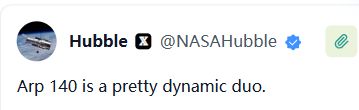
The public post retrieved in Archivlyx on November 5, 2026. The product helps inspect the candidate URL; it is not a screenshot authenticity verdict.
If a public post won't load, keep the URL and try its original page again when available. A failed request alone doesn't tell you whether a post was deleted, made unavailable to your viewing context, or affected by a temporary problem. Don't replace a missing source with an assertion that the screenshot must therefore be genuine or fake.
Compare the date and the linked context
The recovered post is a starting point for comparison. Read what it actually says and follow the relevant source link, especially when the screenshot is being used to support a claim beyond the words shown.
In this example, the screenshot displayed January 25, 2024 at 00:04 in a Chinese-language interface. X's embed displayed January 24, 2024. The screenshot did not state a time zone, so we kept both displays in our notes instead of forcing them into one supposedly verified timestamp. The matching post ID and other source details remained available for comparison.
The visible NASA short link led to NASA's article about Arp 140. Its image showed the same two-galaxy arrangement, and the surrounding explanation concerned that object. That gave the image and text a source context beyond a social post.
Here is what the case established—and what it left open:
Detail | Result of this check |
|---|---|
Account and opening text | Corresponded to the recovered Hubble post |
Original post link | A specific status URL, not just the profile |
Linked material | NASA's Arp 140 article and matching image subject |
Displayed calendar date | Two displays retained; screenshot time zone unknown |
Likes, reposts, and views in the screenshot | Not authenticated by this check |
Missing replies or editing history | Not reconstructed |
This distinction is useful when you write a caption or research note. You can link to the recovered post and describe the matching material. You shouldn't turn that limited result into a claim that you have authenticated the entire image or every number in it.
If the first search doesn't find it
Try a different distinctive phrase that is clearly legible. A line break, typographic quote, cropped word, or transcription error can make an exact search too narrow. If the handle is uncertain, try the phrase first and use the results to investigate the author, rather than guessing an identity from the avatar.
If the screenshot contains only a photo, the text route may not be enough. Finding the same image elsewhere can help identify its subject or earlier uses, but that isn't automatically the original tweet. A widely shared photo may appear in many unrelated posts. Keep the image source and the social post source as separate findings until you can connect them.
When you find only a repost or a quotation, follow the reference back another step. If you can't reach a specific original post or a useful archived record, record that gap. “Source not located” is a more useful research outcome than a guessed URL. It tells the next reader exactly what still needs checking.
Keep a source record you can reuse
Before you close the tabs, save a short note with the screenshot's filename, visible handle, search phrase, candidate post URL, the material you compared, and any unresolved difference. Add the date you checked it. Those fields let you return to the source without repeating the whole search.
A useful note for this case would link the original Hubble post and NASA's article, state that the author and opening text matched, retain the two date displays, and leave engagement counts unverified. You don't need to copy the whole post into the note to preserve that reasoning.
When you cite or share the item, use the specific post link wherever possible. The screenshot is the clue you started with; the source URL and your comparison record are what let someone else follow the work.