

To find journalists in a Twitter following list, filter the exported Bio column for a role and a beat, then verify each promising account against recent published work. A bio match creates a review list; it does not confirm that someone currently reports on your topic.
This workflow searches the profiles in a file you already have. It is useful when a publication, conference, or industry expert follows accounts close to your subject. It is not a search of every bio on X.
Pick a starting list with a reason
Suppose you are researching who covers urban transport. An account associated with a relevant newsroom or transport event may be a better starting point than a large general celebrity account. Write down why you chose the list, so you can recognize the bias in what it returns.
You can also start with X's people search to locate known names or handles. The official people-search guide describes that route. For a repeatable review of one existing following list, the exported Bio field makes it easier to inspect several terms together.
To collect the input, open Archivlyx's following-list exporter, enter the public account's username, and sign in to Archivlyx if prompted. Make sure the Following tab is selected. Once the available results are ready, use Export, then Export CSV or Export Excel. The current allowance determines how many rows you can download; a partial export gives you a partial research pool.
Keep the original export. In a working copy, retain Handle, Bio, Profile Url, and Website. Add three columns: Reason to review, Recent byline checked, and Decision. The extra columns matter more than another broad keyword search: they preserve why someone stayed on your list.
Search for both role and subject
In your spreadsheet, enable filtering on the header row and open the Bio column's text filter. Start with a role such as reporter. For a narrower pass, combine two Contains conditions using AND: Bio contains reporter, and Bio contains transport. Copy the matching rows to a review sheet. The spreadsheet does the filtering; Archivlyx supplies the exported profile fields.
Repeat with alternative role words such as journalist, correspondent, or editor, and subject terms such as transit, mobility, or the name of the relevant city. Deduplicate the review sheet by Handle afterwards: one person may match several passes.
The first pass should be easy to inspect. Requiring every synonym at once will lose good candidates. Searching only for media will usually leave you with a much larger clean-up job.
Combine a role with a beat | Check manually |
|---|---|
reporter or journalist + transport or transit | Does the person cover the subject now? |
correspondent or editor + mobility or urban | Reporting, editing, advocacy, or agency work? |
writer or freelancer + city or publication name | Is there a recent relevant byline? |
These are starter terms, not a complete dictionary of journalistic roles. Add terms from the actual bios and publications you encounter. An empty Bio cell tells you little about the person's work; leave it unclassified rather than treating it as a definite rejection.
Look at the false positives before expanding the list
Consider these fictional bios for an urban-transport reporting task:
Bio | Review decision and reason |
|---|---|
Transport reporter at City Desk | Verify: both role and beat are explicit. |
Freelance journalist covering urban mobility | Verify: relevant subject, but current work still needs checking. |
PR consultant working with transport reporters | Exclude: the role is public relations. |
Ex-journalist, now building transit software | Exclude: a former role is not a current reporting assignment. |
Sports reporter and weekend train enthusiast | Hold: the stated reporting beat is sports. |
No bio available | Unknown: there is not enough information to classify. |
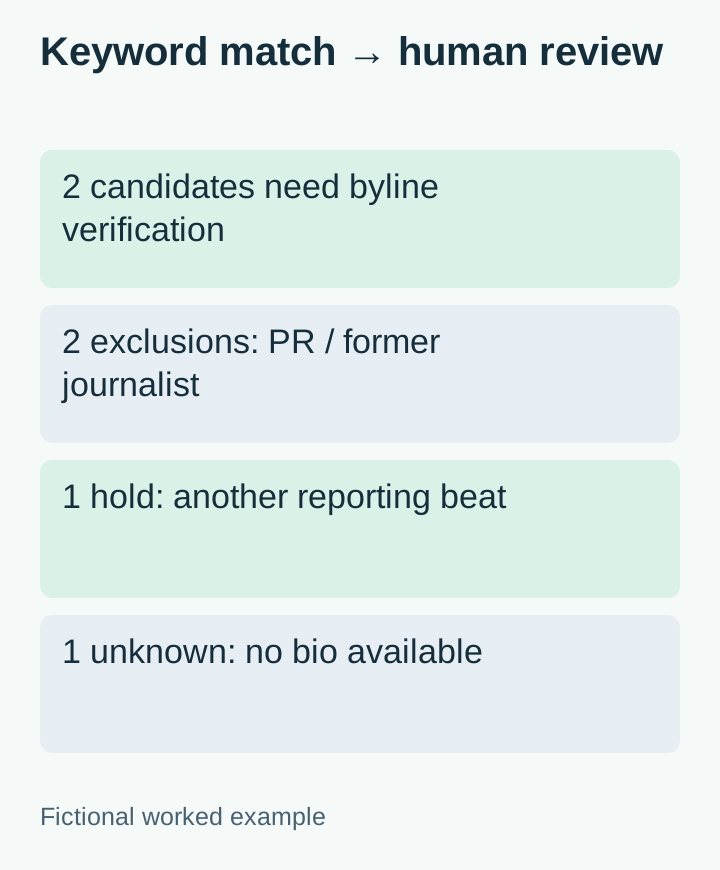
The PR consultant is the useful warning: their bio contains both transport and reporters, so a simple keyword match can put them in your results. Read the whole sentence before assigning a role.
Location needs the same care. A city in a profile can describe where someone lives, not the area they report on. Keep it as context rather than using it as proof of a beat.
Verify the byline, outlet, and current subject
For each candidate, open the profile and follow its publication or portfolio link if present. Find a recent piece that actually covers your subject. Record the article URL, outlet, topic, publication date, and the date you checked it.
If you cannot find relevant work, leave the candidate as unverified. Do not fill the gap with a confident label based on follower count, a verification badge, or an old employer in the bio. X lets people edit their profile information; the text is a useful lead, not an employment register.
For a public example, compare Gwyn Topham's staff page with his 1 November 2026 robotaxi report. They supply a role, relevant work, and a dated byline. Save both URLs in your review row. This checks the research method; it does not show that he appears in any particular exported following list.
Stop at a usable, explainable shortlist
Review a small first batch before exporting more accounts. If most results are irrelevant, change the starting list or beat terms. More rows will not fix a poorly chosen source.
When you compare sources, remember what the following-analysis example illustrates: a following list can suggest interests and connections, but it does not prove endorsement or a professional relationship.
For this task, a successful output is a short set of accounts with a reason, a relevant recent byline, and a checked source link. You can then decide whether each person belongs in your reading list or further research. The bio search gets you to that review faster; the verification makes the result worth keeping.


