

Twitter Web Viewer: A Quiet Window Into the World’s Conversations
The world talks on Twitter. It’s where breaking news spreads in seconds, where movements are born from hashtags, and where ordinary moments sometimes go viral.
But not everyone wants to create an account just to peek inside. Some simply want to browse, read, and stay updated — without the pressure of following, liking, or being seen.
That’s where the Twitter web viewer comes in: a simple, often overlooked tool that opens a quiet window into Twitter’s bustling streets. And if you’ve ever wondered how to navigate the platform’s more restricted areas — like sensitive media or private profiles — you might want to check out our related guides:
What is a Twitter Viewer?
Picture this: you’re walking past a lively café. Through the glass, you can see friends laughing, debates heating up over coffee, and someone showing off their latest travel photos. You’re not inside — but you still catch the mood, the energy, and the conversation.
A Twitter viewer works in much the same way. It’s a web-based tool that lets you explore Twitter’s public side without logging in or even having an account. With it, you can:
- Search for hashtags and trending topics
- Browse public profiles and timelines
- View tweets with images, GIFs, and videos
- Follow global events in real time
For journalists, researchers, marketers, or simply the quietly curious, a Twitter viewer offers the freedom to explore without leaving a digital footprint. In an online world where every click can feel tracked, that freedom matters.
How Does the Twitter Viewer Work?
Behind the scenes, a Twitter viewer works a lot like a skilled librarian who knows exactly where to look.
When you type in a username, hashtag, or keyword, the tool reaches out to Twitter’s public data — often through the official API or by pulling what’s openly visible on Twitter’s web pages. It then organizes that content into a cleaner, often faster-loading layout.
Think of it as swapping the busy, ad-filled streets of downtown for a quiet side road that still takes you to the same destination.
- Step 1: You enter your search term — “#ClimateAction” or “@NASA.”
- Step 2: The viewer fetches all publicly available tweets matching that hashtag.
- Step 3: You get a simple, distraction-free page showing exactly what you asked for.
It’s important to note: a Twitter viewer can only show public tweets. Protected accounts, private messages, or deleted posts are out of reach. In other words, it’s a respectful guest at the party — it listens in where it’s welcome, and stays away from closed doors.
In the end, a Twitter viewer is less about hacking the system and more about keeping the doors open for those who want to look in — whether for curiosity, research, or simply the joy of staying connected to the world’s conversations without the noise.
Why Use a Twitter Viewer?

Not everyone uses Twitter the same way. Some people tweet every thought; others rarely post but read everything. And then there are those who don’t want an account at all — but still want to stay connected to what’s happening in the world.
A Twitter viewer exists for that middle ground. It’s not about replacing Twitter; it’s about giving you a different way to look in.
- When you value privacy. Maybe you don’t want to log in from a work computer. Maybe you just don’t want your searches tied to an account. A viewer lets you keep your curiosity to yourself.
- When you want the signal, not the noise. Twitter’s timeline can be busy, full of trending memes and random suggestions. With a viewer, you can search for exactly what you came for — no autoplay videos, no “people you might like,” no temptation to scroll endlessly.
- When time is short. Sometimes you just need to check a hashtag for an event or read the latest from a public figure. A viewer gives you that in seconds, without the friction of opening the app, logging in, or getting sidetracked.
- When you’re in a place with limits. In some regions or workplaces, Twitter itself might be slow, restricted, or blocked. A web viewer can sometimes give you access when the main platform struggles.
- When you just want to look, not join. There’s no commitment — no profile, no notifications, no inbox. You can step in, read, and step back out without leaving a trace.
In the end, using a Twitter viewer isn’t about being “anti-Twitter.” It’s about choice — the choice to observe without participating, to stay informed without signing up, and to control how you spend your attention in an age where everyone wants a piece of it.
How to Choose the Best Twitter Viewer
If you’ve decided a Twitter viewer might be useful, the next question is: Which one is worth your time?
The reality is, different viewers serve different needs. Some prioritize privacy above all else, others load media quickly, and some focus on tracking profiles or hashtags.
When deciding, consider:
- Privacy Practices – Does it keep your viewing history private?
- Speed & Reliability – Can it handle heavy media content without slowing down?
- Media Support – Does it display and play images, videos, and GIFs smoothly?
- User Experience – Is it intuitive, mobile-friendly, and pleasant to use?
- Extra Tools – Bookmark management, trend tracking, or organization features can be a real plus for frequent users.
ArchivlyX Twitter Viewer — The Best in Class
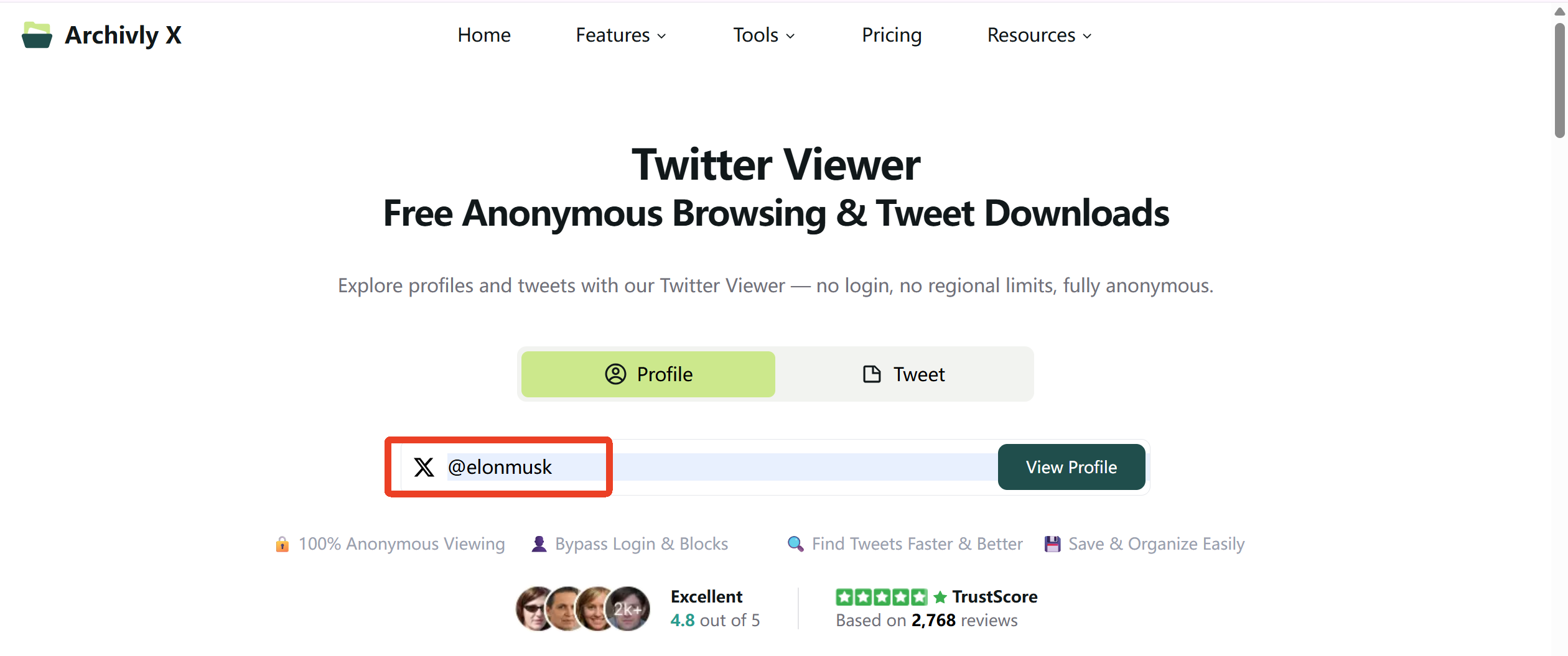
Among the many options out there, ArchivlyX Twitter Viewer stands out as the most complete, user-friendly, and powerful choice. It’s built for people who want the fastest, cleanest, and most private way to browse public Twitter content — without compromise.
Why ArchivlyX is the Best:
- Privacy-first browsing – No account required, no personal tracking.
- Fast media loading – Tweets with images, videos, and GIFs open instantly.
- Free – Try all features freely.
- Download pictures, videos, and GIFs – Save content directly to your device.
- Minimalist interface – Distraction-free and easy to navigate.
- Extra tools: Bookmark & Like Manager, Smart Folders for organizing saved content.
How ArchivlyX Compares to Other Popular Viewers
| Feature | ArchivlyX | Nitter | TwStalker |
|---|---|---|---|
| Privacy | Privacy-first: no account required, no tracking; data processed locally in browser | Very strong privacy, open-source; no ads; instance setup affects privacy level | Privacy policy exists but includes cookies and Google Ads; not fully privacy-focused |
| Speed | Lightning-fast loading, optimized for media-heavy tweets | Fast for text; speed varies by instance; slower for heavy media | Quick for trends and stats; media-heavy pages may vary in speed |
| Media Display | Full image, GIF, and video support | Images and GIFs supported; native video playback/download limited; third-party tools often used | Displays media in tweets; no built-in download option |
| Price | Completely free — no trial period, no hidden fees | Free, open-source | Free, ad-supported |
| Download Media | Yes — images, videos, and GIFs | No native download; requires third-party methods | No native download function |
| User Interface | Clean, modern, mobile-friendly | Minimal, text-focused | Trend & profile-oriented interface with recommendations |
| Extra Tools | Bookmark & Like Manager, Smart Folders for saved content | RSS feeds for timelines | Follower/following stats; trend rankings |
ArchivlyX isn’t just another Twitter viewer — it offers a rare combination of speed, privacy, full media handling, and powerful content organization. Compared to Nitter and TwStalker, it’s the most balanced choice for users who want both performance and convenience, with the added bonus of being completely free.
Ready to see Twitter without the noise?
With ArchivlyX, you get speed, privacy, and full access to public tweets — all in one clean, easy-to-use platform. And the best part? It’s completely free.
Start exploring now and take control of how you view Twitter.


