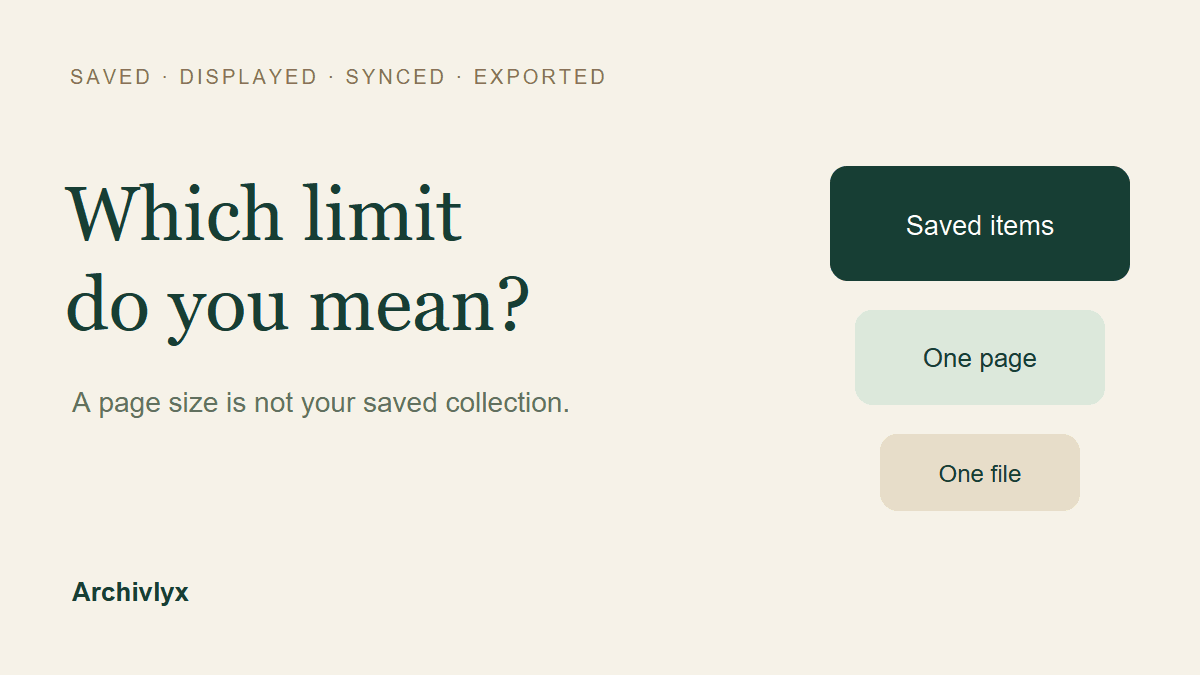
A “Twitter bookmarks limit” can mean several different things: how many posts an account may save, how many a page displays, how many an API request returns, or how many a separate tool will sync. Those numbers are not interchangeable.
X’s current Premium help says Premium members can have unlimited bookmarks and bookmark folders. That does not establish an unlimited history in every interface, an API retrieval guarantee, or the limit for a Free account. The current bookmarks API reference separately allows 1–100 results per page.
If you are staring at an old number such as 800, or a tool has stopped at 3,000, first identify what was counted. Here is how to choose the next check without deleting bookmarks or buying a plan on the wrong assumption.
First, name the thing that stopped
Before looking for a bigger limit, finish this sentence: “I can no longer…”
Save another bookmark on X.
Scroll to an older item in the X app or website.
Receive more results from an API request.
Sync more records into another tool.
Export the records that a tool already holds.
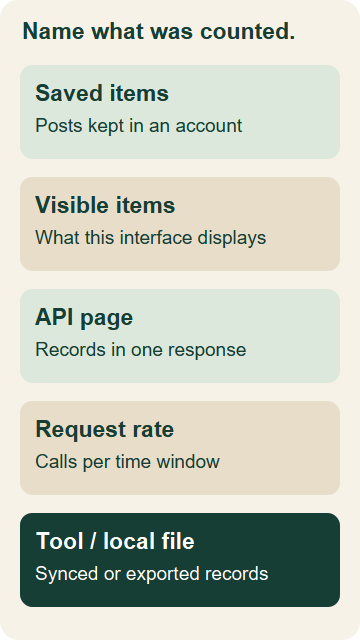
Each is a different problem. A page stopping while you scroll does not, by itself, show that X deleted older saved items. A sync allowance does not say how many posts remain saved on X. An export file describes the records actually written into that file.
For an ordinary browsing problem, start with the account, device, date, and one older post you remember. For an API job, inspect the request and response. For a product limit, open that product’s current plan details. Matching the number to its source is more useful than comparing every number you find in search.
What X currently says about saved bookmarks
The Premium help page, under Creating and Managing Bookmark Folders, explicitly describes unlimited bookmarks and bookmark folders for Premium members.
Keep that statement attached to its scope. It is a Premium feature description. It is not a guarantee that an unavailable post remains readable, that a particular app will display every older item, or that another service can retrieve the complete collection.
The general X Bookmarks help explains saving, removing, and accessing bookmarks. The official material we checked did not establish a numeric Free-account storage ceiling. That is an unknown in this guide, not a reason to invent a Free limit or extend the Premium statement to everyone.
We checked these sources on November 5, 2026. If you are making a plan decision later, reread the current description for your account rather than treating an undated search snippet as the rule.
Why “100 results” is not a 100-bookmark ceiling
The current Get Bookmarks API reference defines max_results with a range of 1–100. This controls the page size of a request, not the number of bookmarks a person is allowed to save.
The response’s result_count describes that response page. If there is a next_token, X’s pagination guidance explains how it becomes the next request’s pagination_token.
For a developer, the practical record includes page counts, unique post IDs, duplicates, errors, and the reason retrieval stopped. Reaching a page with no next token means that request has no further page available under those conditions. It does not independently prove that every bookmark ever saved by the account is present.
We reviewed the public documentation for this guide; we did not run a credentialed bookmarks API extraction. A documented page-size range is different evidence from a large account’s actual returned history.
Where the old “800 bookmarks” claim came from
An archived February 23, 2024 snapshot of the official API introduction described returning the 800 most recent bookmarked tweets.
That was a statement about the endpoint’s returned collection. It was not a statement that users could save only 800 bookmarks or that the 801st bookmark would delete an older one.
The current reference and quickstart we inspected did not repeat that historical number. The absence of the sentence is not enough to conclude that a current history restriction has been removed. We have not tested a current account with more than 800 bookmarks through that endpoint.
When you encounter 800 in an article, ask for its source date and whether it describes saved items, visible items, or API results. “It was in the documentation” is incomplete without the version and the thing being limited.
Rate limits count requests, not saved posts
A request limit is another separate measurement. The current X API rate-limit table lists 180 requests per 15 minutes per user for the bookmarks lookup endpoint.
That number is not a bookmark-storage allowance. Multiplying 180 by a page size of 100 does not prove an account can retrieve 18,000 unique historical bookmarks. Pages may overlap, return fewer records, end earlier, or be subject to other access conditions.
If a job reports a rate-limit error, record that stopping reason. Deleting saved posts is not a response to a request-rate window, and a partial run should not be labeled a completed backup.
Check the separate Archivlyx allowance and setup
If your goal is a searchable working collection outside X, begin with the Archivlyx Bookmarks Manager. Its setup and plan conditions are separate from X’s own saving rules.
On November 5, we followed the product entry into the Bookmarks workspace. It displayed an extension-installation prerequisite. The workspace also had a zero total and example rows labeled as test tweets. We did not treat those examples as our bookmarks, run a sync, install an extension, or produce a bookmark export.
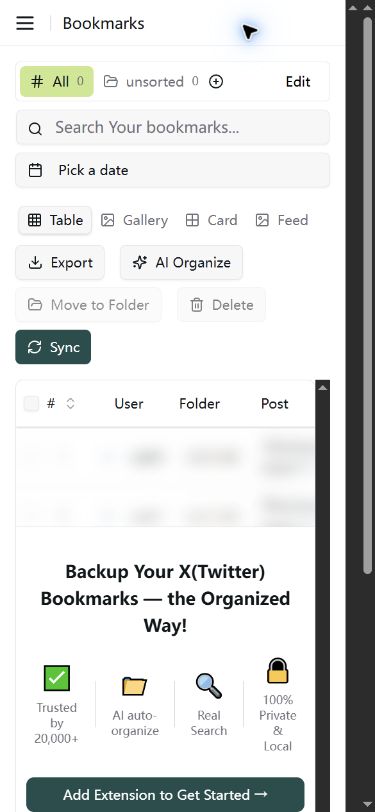
That screen marks a useful stopping point: opening the workspace is not the same as having a backup. Check that the required connection is ready and that actual records are present before interpreting its count.
The current Archivlyx pricing FAQ uses 3,000 bookmarks as the Free plan’s content-limit example and says new data stops syncing at the plan limit. It lists CSV, JSON, and Markdown exports for Pro and Unlimited; exporting is not available on Free. These are the published plan descriptions, not export results from our session.
The 3,000 figure therefore belongs to the tool’s sync allowance. It is not an X-wide bookmark ceiling, and it is not the exporter-credit allowance for public follower lists. Check the relevant product line and the current plan before deciding whether a limit change would address your task.
Keep a small record before changing plans
You do not need a complicated spreadsheet. A short note makes the decision traceable:
Where the number appears: X page, API response, plan page, or local file.
What it counts: saved posts, displayed posts, records per page, requests, or synced records.
Account and date: which collection and when you checked it.
Stopping condition: no next page, an error, a setup prerequisite, or a stated allowance.
Actual output: what records or file you have, with unknown coverage left explicit.
Next action: inspect the matching source or complete the missing prerequisite.
For example, “100 returned records, next token present” calls for a pagination check. “3,000 synced records, Free allowance reached” calls for checking the tool’s plan and whether more source records are available. These illustrate different decisions; they are not measurements of a single bookmark collection.
If you already have a real export, open it and count distinct original post IDs. Check a few known recent and older entries and note whether media are local files or links. The post’s creation date should not be mistaken for the date you bookmarked it.
Choose the next step from the right number
For a saving question, check X’s current account-specific feature statement. For an API question, separate page size, history availability, and request rate. For a working archive, check setup, sync allowance, export access, and the actual file you obtain.
A useful answer to “What is the limit?” names the object and its source. Keep Premium’s published saving description, an API page, and an Archivlyx plan allowance in separate notes. Then a number can guide your next action instead of sending you toward an unnecessary deletion, retry, or upgrade.