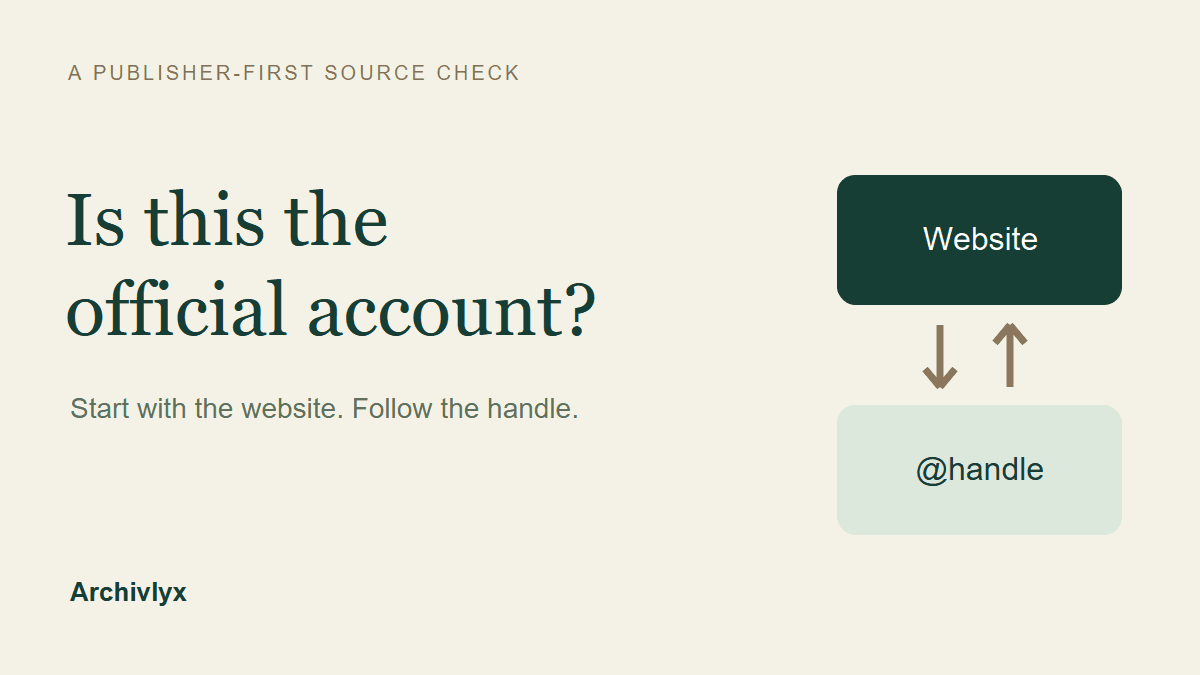
Start on the organization’s own website and follow its link to the Twitter account. Then compare the exact handle, open the profile’s website link, and record where it leads. A familiar photo, a large following, or a blue check can help you recognize a page, but none replaces that connection to the publisher.
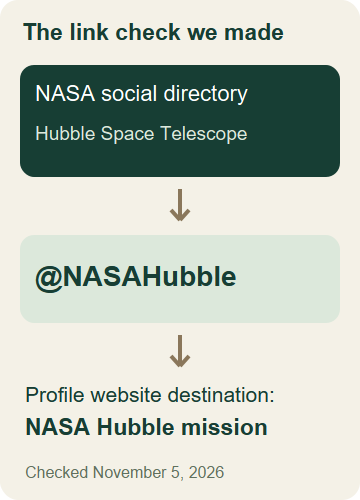
For a worked example, we checked the Hubble account through NASA’s social media directory, then inspected its public profile in Archivlyx. The directory pointed to @NASAHubble; the profile’s website link led back to NASA’s Hubble mission page. That gives a useful, limited conclusion: NASA currently lists this account for Hubble. It does not certify every post or rule out a later account takeover.
Begin with a website you already trust
Imagine you are about to cite a striking astronomy post. Searching the display name produces several convincing profiles. Starting from one of those profiles leaves you checking claims made by the account itself.
Reverse the direction. Open the organization’s website using a known address, a saved bookmark, or a source you have already checked. Find its contact, newsroom, or social media directory. For a university, look for the relevant department as well as the institution. For a space mission, use the mission’s listing rather than assuming the agency’s main account publishes everything.
Be careful with a website discovered through an unsolicited message. If the starting domain is an imitation, a matching social link proves very little. A secure connection protects transport; it does not establish that a similarly spelled domain belongs to the organization you meant to visit.
Our starting page was NASA’s social media directory. Under NASA Missions, the Hubble Space Telescope entry linked to its X account.
Compare the exact handle behind the link
Open the social link and inspect its destination. The display name “Hubble” is easy to repeat. The handle in the profile URL is the more useful comparison.
In this case, NASA’s directory displayed @NASAHubble and linked to https://x.com/nasahubble. The capitalization differed from the profile’s displayed handle, but the letters matched. Look more carefully for extra underscores, substituted letters, or added words such as “support.” Those changes can identify a different account even when the name and picture look familiar.
Keep the directory URL and the account URL together. A screenshot of the profile alone loses the outside reference that made this check useful. If the directory opens a redirect, check the final destination rather than relying on the link’s visible label.
The two directions answer different questions. A website linking to an account says the publisher associates itself with that handle. An account linking to a website says the account claims that association. The first is the stronger starting point; the return link helps you notice a mismatch.
Inspect the public profile in Archivlyx
After obtaining the handle from NASA, we opened the Archivlyx Twitter Profile Viewer. This step brings the account’s public details into view so they can be compared with the outside source. It is a reading tool, not an official-account certification service.
To repeat the profile inspection:
Select Profile in the viewer.
Paste
https://x.com/NASAHubbleand choose View Profile.Open More Details if the biography and website are collapsed.
Compare the handle, biography, location, and website with the publisher’s directory.
Our November 5, 2026 result displayed Hubble, @NASAHubble, a biography describing the NASA Hubble Space Telescope account, and a NASA website link. The expanded details also displayed Goddard Space Flight Center. These fields helped us check for consistency; their presence was not an independent identity test.
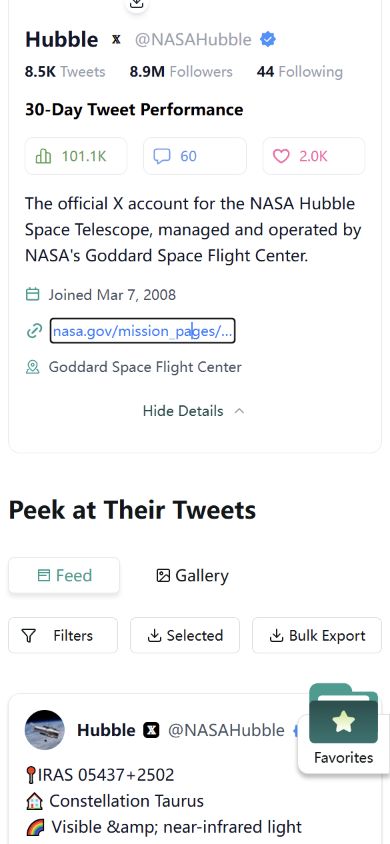
Open the website link rather than judging its shortened label. The actual link in our result used a t.co address. Following it led through NASA’s older mission address to NASA’s Hubble mission page. The final page was a NASA Hubble mission page, which supported the same association as the directory.
We used an existing Archivlyx session for this check. Public-profile availability and returned fields can change. If a result is missing or incomplete, return to the publisher’s website and the source profile; a blank viewer result does not establish that an account is fake.
Treat badges as context, not the whole decision
A blue check has accumulated several meanings over Twitter’s history. That makes old advice particularly easy to misapply.
X’s current blue-check help explains the subscription and eligibility basis for the check. Do not read a blue badge as proof that X has verified the person’s identity under the former verification program. Different labels and badge colors also have different meanings; check the relevant current explanation instead of grouping every symbol together.
Likewise, follower count and account age are background information. They may prompt further questions, but they cannot establish affiliation. A long-standing account can change hands. A legitimate new project can have few followers. An official-looking biography is still text supplied by the account.
In the Hubble example, the useful evidence was NASA’s own directory link. The badge and profile details did not need to carry a claim they could not establish.
Write down a conclusion you can defend
A small source note is more useful than a folder full of disconnected screenshots. Save the relationship you checked and the date, so another person can retrace it.
For our example, the note was:
Publisher: NASA.
Directory: NASA Social Media, Hubble Space Telescope entry.
Listed account: @NASAHubble.
Profile website destination: NASA’s Hubble mission page.
Checked: November 5, 2026.
Conclusion: NASA’s directory lists this handle for Hubble; the inspected profile website link returns to NASA.
Notice what that conclusion leaves open. We did not prove that a particular scientific claim was correct, that every previous post came from the same operator, or that the account could never be compromised.
If you are checking a screenshot rather than account affiliation, identify the exact post next. Our guide to finding the original tweet from a screenshot covers the separate job of matching words, author, date, and the original post URL.
What if the links do not line up?
Pause before labeling the account. An organization might have moved domains, renamed a project, or left an old directory entry online. Those possibilities deserve a check, not an automatic verdict in either direction.
Return to the organization’s contact or newsroom page and look for an independent way to confirm its current social account. Do not ask the questionable account to verify itself through a private message. If money, credentials, or sensitive information are involved, use a contact route you obtained separately from the organization.
A missing return link is weaker evidence than a conflicting official directory link. Record the difference. “No website link displayed” and “the publisher lists a different account” describe different findings and call for different follow-up.
Check the claim after checking the account
Knowing which account an organization lists answers who it points to. Your next task may still be to check what a specific post says.
Follow the post’s source material, compare its date with the event, and distinguish a current announcement from an old item being shared again. NASA’s own mission page can support the Hubble affiliation; a separate article or data release may be needed for the scientific claim.
For future citations, start with the publisher’s website, retain the exact account URL, and date your note. Use the Profile Viewer to inspect public details along the way. Keep the final conclusion as specific as the evidence you actually found.