You use Twitter for match scores and team news. Tonight you want to look through a space photography account without making it part of your usual feed. Maybe there’s an interest you’d rather keep to yourself. Open Archivlyx in your browser and view the public account as a guest. Paste its @handle into Profile Viewer, or use Tweet Viewer if you already have the link to one post. You can do either without signing in to X or connecting your usual account.
Open a separate browser tab for the lookup
Leave your regular X tab or phone app as it is. On a laptop, open a new private browser window. On a phone, switch to the browser’s private tabs.
Open Archivlyx in that tab. Copy the plain
@handleor public post URL into the viewer. If your phone offers Open in app, stay in the browser so you don’t jump to the X session you already use.Read the result, then close the private tabs if the lookup is over. If you decide you want that creator in your everyday feed, return to your regular X session and follow them there.
This is handy when you’re curious about a few posts and haven’t decided whether to make the account part of your daily reading. You can leave your regular X session open throughout. Chrome’s guide to private browsing
Start with the account or post you want to see
What you have | Where to start | What you get |
|---|---|---|
A public | Archivlyx Profile Viewer | The public profile and the posts the viewer returns |
A link with | Archivlyx Tweet Viewer | The specific public post, if available |
A topic or a few words from a post | A web search | A link or handle to open in the matching viewer |
Browsing a few posts? Start with the profile
Say you want to see what an astronomy account has been posting before you decide whether to follow it. Open Archivlyx’s Profile Viewer and leave Profile selected. Enter the account’s @handle and choose View Profile.
Try @NASAHubble if you want to see what a result looks like. In our guest check, Archivlyx opened the Hubble profile and displayed public posts below it. Check the handle on the result, then scroll down to see the posts. You can look through the account before deciding whether to add it to your regular feed.
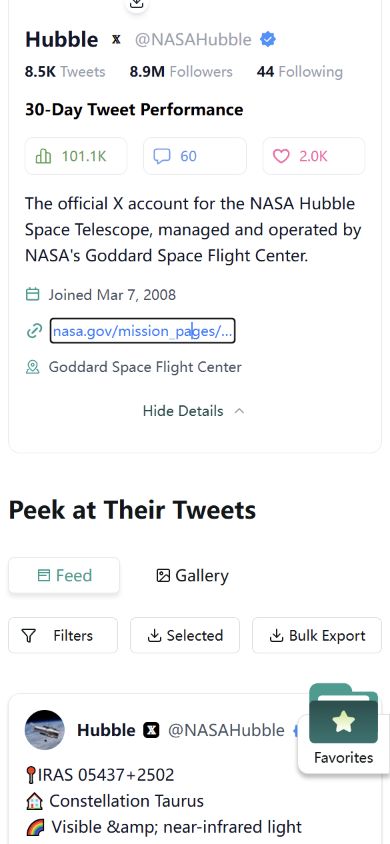
Example Profile Viewer result showing the matching @handle and the start of its public feed.
If you're trying to confirm you have the right account, compare the handle with the one linked from the creator’s own site. How to check whether a Twitter account is official
Looking at one post? Use its link
If you already have a post link, opening the whole profile adds an extra search. Copy the full link. A post link looks like x.com/username/status/1234567890. A link ending at /username goes to the account.
Open Archivlyx’s Tweet Viewer in your browser.
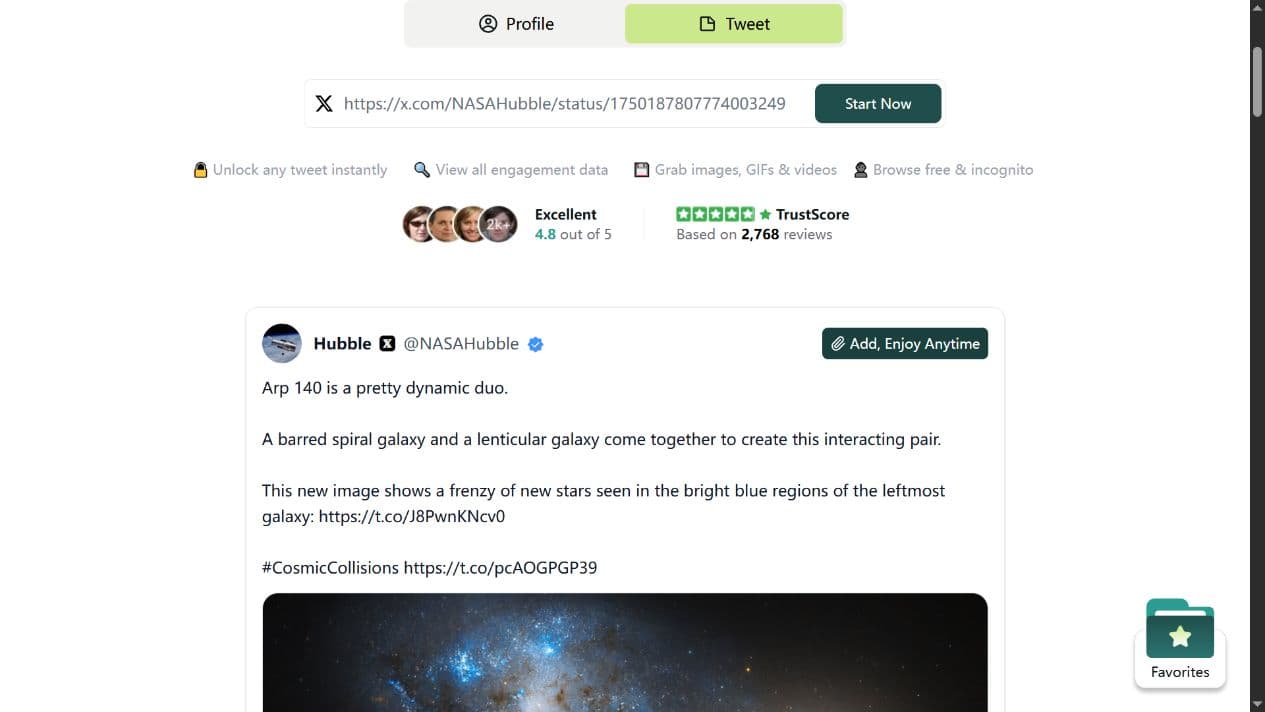
With Tweet selected, paste the link and choose Start Now.
Read the result. Check the handle and date if you’re trying to identify a particular post or tell a current update from an old one.
In a separate guest check, we pasted Hubble’s post about Arp 140. The result displayed @NASAHubble, the post text, and the date. With the exact link, there was no need to look through the account’s timeline.

Tweet Viewer returns the original handle and caption so you can check that you opened the right post.
Only know the topic? Find a link first
Search the web for the account name or a phrase from the post and add site:x.com. Quotation marks help when you remember the exact wording. A match with /status/ goes into Tweet Viewer. If the result is an account page, use its handle in Profile Viewer. Search engines only show what they have indexed, so for a recent or obscure post, starting with a known account may get you there faster.
Decide what to do after you’ve looked
In the Hubble example, the profile is enough to decide whether the account regularly posts the kind of images you want to see. The single post is enough if tonight’s goal was just to read one caption. You can stop there. If you decide to follow, like, or reply, take that step deliberately in your regular X session. X says its recommendations draw on several signals, including what you follow, interact with, and watch. How X recommendations work
If a post won’t open, check the full URL and handle first. A deleted or protected post can remain in a search result or an old link after it stops being available to guests. Who can see protected posts on X