If a Twitter CSV opens as one long column, shows broken characters, or changes an identifier, return to the original file and import it with explicit settings. Check the delimiter and encoding in the preview, keep identifiers as text, and confirm the resulting rows before saving a working workbook.
Double-clicking is convenient, but it lets the application choose several of those settings. A spreadsheet can look orderly while interpreting the contents incorrectly. A short check at import time is easier than repairing a file after you have sorted it, added notes, and saved over the original.
Keep the downloaded file intact
Make a working copy before opening the export. Record which account it describes, whether it contains Followers or Following, and when you obtained it. The filename can hold those details without a separate tracking system.
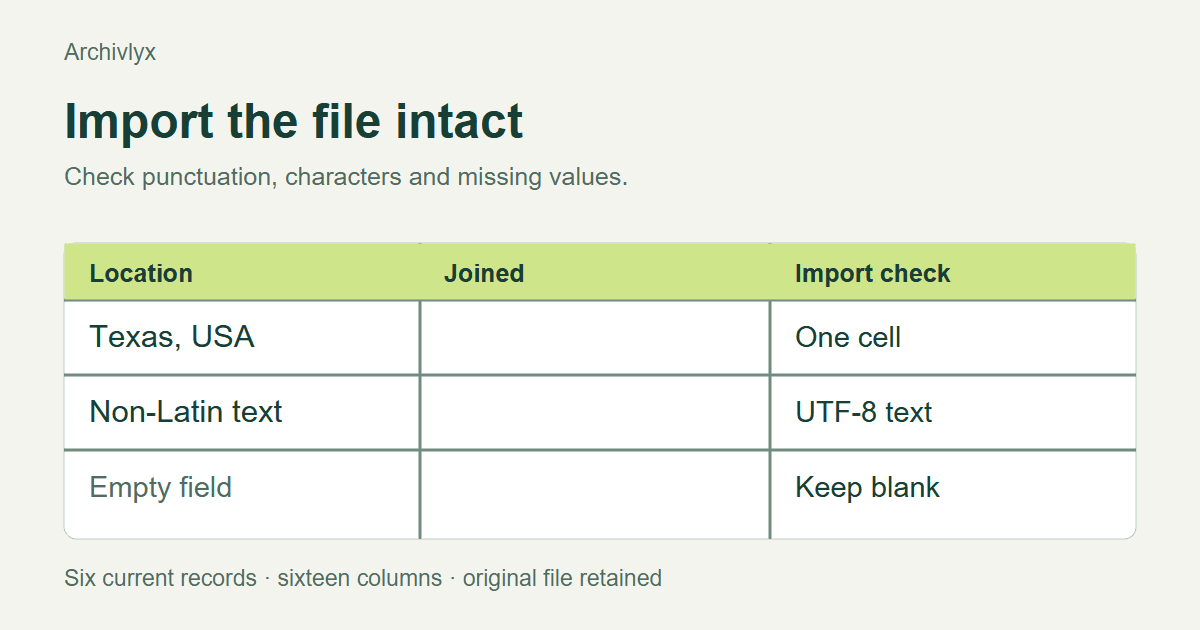
For this guide, we obtained a six-row CSV and an XLSX file from the same Archivlyx follower export on November 13, 2026. Both contained 16 columns. The example is useful because it has blank fields, Boolean flags, a location with a comma, and a location written as 日本.
It does not contain account IDs, and the Joined fields are blank. We can check the fields present in this result. We cannot demonstrate date or ID preservation using columns that the sample does not supply.
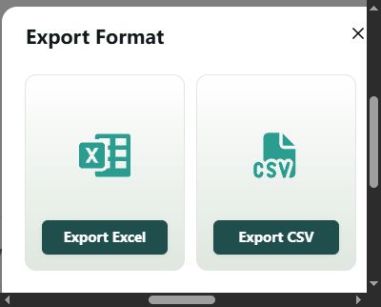
If your result offers XLSX and your next task is ordinary spreadsheet work, start by assessing that file too. It can save you from choosing text-import settings. Still check its rows and fields against the original result rather than treating the format as a guarantee of completeness.
Use the import preview
In Excel, Microsoft's documented text-import path is available through Data and the From Text/CSV option, with wording depending on the version. Select your untouched CSV and inspect the preview before loading it. In other spreadsheet applications, look for the text-import dialog and the equivalent encoding, separator, and column-type controls.
Choose the separator used by the file. In this sample, it is a comma. Quotation marks protect fields that contain a comma of their own. The location Texas, USA must therefore occupy one location cell. If it splits across two cells, the import settings are wrong.
Choose the encoding that correctly displays the source text. Our CSV is readable as UTF-8. The Japanese location provides a quick check that is more revealing than a row containing only basic Latin characters. Compare it with the original text rather than guessing from the appearance of a few account names.
An empty value needs attention as well. A blank Joined field should remain blank. Assigning it an invented date or treating it as a known zero changes the data rather than cleaning it.
Give identifiers a text type
When your file includes a post ID or account ID, use a text column for it before loading the data. These values identify records. Arithmetic on them is rarely the task.
Microsoft's guidance on leading zeros and large numbers explains why automatic conversion can change numeric-looking strings. Excel's numeric precision limit is particularly relevant to long identifiers. Changing the display format after digits have already been lost cannot reconstruct the original value.
Use the original CSV as your reference. Compare the complete identifier, including the final digits. For an account export that contains handles and profile URLs instead of IDs, preserve those fields as supplied and remember that a handle may change over time.
Do not add an ID column and populate it with row numbers. A spreadsheet's row position and a platform identifier answer different questions. Row numbers can help you restore your own working order, but they do not provide stable account identity.
Run a four-cell check before analysis
Choose one numeric count, one text value with punctuation, one non-Latin value, and one blank field. Confirm each against the original export. Then count data rows without including the header.
We imported the current CSV with LibreOffice Calc and saved a separate working workbook. The imported result had six data rows and 16 columns. The comma-containing location stays in one column, 日本 remains readable, and the blank Joined cells remain blank. These checks establish that this particular import is usable for its next step.
The XLSX comparison also shows why strict text comparisons can be misleading. The CSV represents a flag as false; the workbook can store the same value as a Boolean false. Normalize the interpretation deliberately when comparing the formats. Keep a missing value distinct from an observed zero or a false flag.
For a file with multiline biographies, inspect a record that contains a line break too. Quoted line breaks can belong to one CSV record. Counting visible lines in a text editor is therefore not always a reliable count of accounts.
Save the workbook for the work that follows
Once the import is correct, save a separate workbook for filtering, formulas, and annotations. Keep the original columns together. If you sort a count column, include every associated column so the number stays beside the correct account.
Use a new column for your review notes. A field such as Review reason makes your own judgment visible without overwriting the source biography. A second column can hold the date you checked an account. Neither should be confused with the account's creation date or the date it followed someone.
If your next task is ordering the accounts, the follower-count sorting guide walks through keeping rows together. If you are deciding which file to request in the first place, compare the export's available fields and formats before running another collection.
When you receive a later export, repeat the same checks. A successful import today does not establish the shape of every future file. Keeping the original, selecting import settings deliberately, and checking a few meaningful cells gives you a workbook you can continue using with confidence in what each column contains.