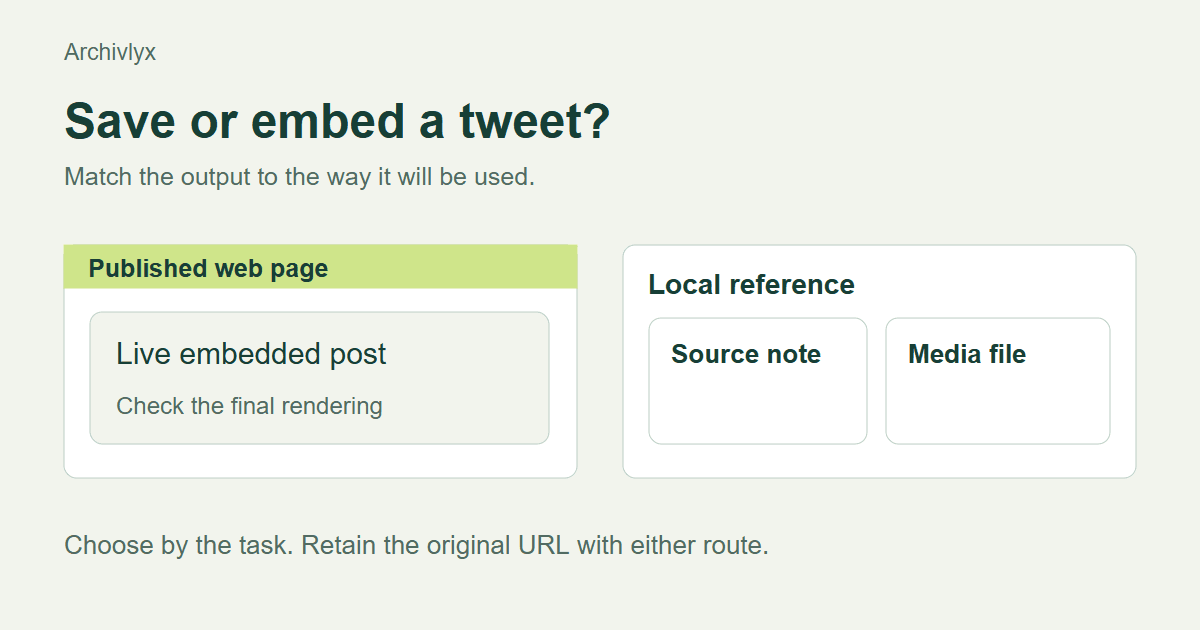
Embed a tweet when readers need to see the live post inside a web page. Save a local reference when you need to review its contents away from that page. For an article you may use both, with the source URL and a written note connecting the two.
The choice becomes easier when you name the next task. Are you displaying a public statement to readers, checking wording while writing, or studying a video offline? Those jobs need different outputs. Here is how to decide, using one short text post and one media post as examples.
The embedding route below follows X’s published instructions. Our worked checks cover the viewer reference and the downloaded media copy. Use the page-rendering check below when implementing an embed in your own publishing system.
An embed is a publishing choice
X's official embedding instructions describe taking embed code from a public post and placing it on a website that supports it. This is useful when the post itself belongs in the published story and readers should be able to follow it back to X.
Check your publishing system before collecting code. A rich-text field may strip scripts, while a dedicated embed block may accept only a URL. A preview that shows raw code has not produced a working embed. Open the published page and inspect it there, including on a phone.
A live embed also depends on outside services and on the post remaining available. Keep the author, original URL, publication date, and relevant wording in your research notes. If the embed later becomes unavailable, those notes give you something concrete to investigate.
A screenshot preserves a visible state
A screenshot can record the wording and context that were visible when you reviewed a post. Include the author, handle, date, and enough of the post to make the passage understandable. Put the source URL and capture date in the accompanying note.
Our November 13, 2026 check opened jack's first post in the Archivlyx Tweet Viewer. The returned card showed the short text, author, handle, and displayed time together. That made it a useful reference for the citation task.
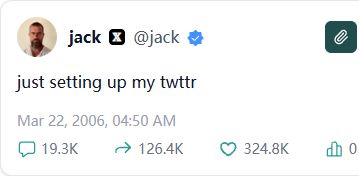
The date deserves attention. Our browser in Asia/Shanghai showed March 22, 2006 at 04:50 AM. The underlying source timestamp was March 21 at 20:50 UTC. Keep the time zone in your notes if the day matters to your argument. A screenshot with a local date can otherwise appear to contradict a citation using another zone.
A screenshot cannot play a video, expose a link destination, or supply searchable text by itself. Copy the relevant wording into your private note and keep the source link nearby. If you will publish the image, assess the purpose and permission for that use separately.
A media download serves a different task
When your task is reviewing a clip, a local video file is more useful than a static card. We tested this with a NASA post about Ingenuity. The Archivlyx downloader resolved the post, its preview loaded the video, and the download produced a playable-media file with an MP4 extension and 7,505,135 bytes.
Keep a short source note beside the file. Record the original URL, the author, the collection date, and why the clip matters. A filename containing an account name will not tell a future reader which claim you were checking.
For a video-specific workflow, open the video downloader. Check the returned post and preview before selecting a download. A file download is a reference copy, while the source's explanation remains necessary for interpreting what the clip shows.
Choose the output by the next task
For a web article displaying a public statement, start with an embed and test the final rendering. Keep a source note for your editorial records.
For an essay quoting a few words, a written citation and a source URL may carry the relevant evidence more clearly. A screenshot can help your checking process without needing to appear in the finished essay.
For offline video review, save the media and the source note together. If the task involves several posts in a thread, our research thread-saving guide explains why the surrounding sequence matters.
For a permanent record of a changing page, define what you must preserve before choosing a method. Text, images, replies, links, and interactive behavior have different preservation requirements. Check the resulting files against that list instead of treating any one successful save as complete coverage.
Run a small handoff check
Before sending the work to an editor or collaborator, open it the way they will. Does the embed render on the article page? Does the source URL lead to the intended post? Can the local file be opened from its saved location? Does the note identify when you collected it?
Then read the sentence that uses the post. It should be supported by the material you retained. If it relies on a linked report, preserve and cite that report too. A social card can point readers toward evidence, but the claim may live elsewhere.
The finished handoff can be compact. Keep the output, the original URL, the author and date, and a sentence explaining the use. That is enough to make your choice understandable to the next person who opens the folder.